Welcome to My Blog

This blog is dedicated to post all the activities I do with my students.
Most of the activities I do encourages the integration of ICT.
I hope you always pay my blog regular visits.

Pages

Saturday, September 22, 2012

Towards the International School Award

The British Council offers the "International School Award" (ISA) as an accreditation framework for schools to record and evaluate their international work and embed it into the curriculum and whole school ethos. The accreditation lasts for three years.
ISA has a very positive impact on developing pupils’ awareness of the cultures of other countries, while still promoting an understanding of their own culture.

ISA supports schools to develop the following:

-An international ethos embedded throughout the school
-A majority of pupils within the school impacted by and involved in international work

-Collaborative curriculum-based work with a number of partner schools
-Curriculum-based work across a range of subjects
-Year round international activity
-Involvement of partner schools and the wider community in the UK
During this academic year, KSPS worked hard to acquire ISA accreditation for the second time.
We worked on producing 8 activities under 3 themes.
Health and Care Theme: 100 m Race, Olympic day, World Health Day, Safety
Tourism Theme: Exchanging postcards with Nottingham schools, Virtual Museum, International Cultural and Food Festival
Imagination and Story Telling: Talent Show, Story Booklets (exchanged with schools in Nottingham)
Our determination towards winning will allow us to win the International School Award again and again:)
Rawaa Shehab
ISA International Coordinator

Sharing My Best Practice

“Empowered Educators” Workshop for Teachers
27 & 28 August 2012
Crown Plaza Hotel
As part of the component "Professional Development for Internationalizing Education", the British Council organized a 2-day workshop delivered by Dr. Baldev Singh from Imagine Education UK. Attendees were teachers from different Lebanese schools; I was presenting Makassed Khalil Shehab School.
This workshop provided support to teachers to understand how technology impacts the classroom dynamics (pedagogy), motivate students and develop creativity in both the teaching and learning process.
*Workshop Outcomes:
• Create learning activities to support development of 21st century skills (Collaboration, Knowledge building and assessment)
• Increase knowledge of meaningful applications of Information Communication and Technology (ICT) tools in the classroom
• Engage students with professional learning communities through Web 2.0 tools
We were introduced to a set of new tools which allowed us to understand how to develop learning activities which are effective to support learning and development of 21st century skills. A number of Web 2.0 tools were used in the workshop to get teachers think creatively and enhance the learning process. I found it very useful to share with Makassed teachers some new web 2.0 tools presented in the workshop.
- Symbaloo:
It is a Personal Learning Environment (PLE) for teachers to visually organize and share the best of the web with students. Symbaloo allows you to create your own pages with your favorite websites, videos, images, word documents…
You can also access your “Symbaloo” account through your smart phone by downloading Symbaloo App.
- Answer Garden:
Plant a Question, Grow Answers... Answer Garden is a new feedback tool that can be used in your classrooms to motivate students and trigger their prior knowledge.
-Wall wisher:
An online wall that is built for students to write their wishes, feelings, thoughts… Students will post sticky notes on the wall. Create an account www.wallwisher.com
-Online Tests through Your Google account:
Access your Google account → documents → create → forms (in this form you can create several forms of tests such as choose best answer, true or false, open ended questions…) → more actions → embed code ( to embed the test that you just created on your blog or wiki)
- QR Code:
A QR code is a barcode which can be read by webcams and smart phones. When the barcode is scanned, information appears on the phone screen or computer. This information can be text, a web address, an email address or a video. You can generate your own QR codes
You could create a puzzle-solving lesson out of QR codes or you can use these codes as secret messages to the parents. These codes are newly used in books... Example of a QR code:


Download the QR reader App to read the code!

-Educational Games:

Super new educational games www.classtools.net

-Wordle:

Wordle is a toy for generating “word clouds” from text that you provide. You can tweak your clouds with different fonts, layouts, and color schemes.You can create your own Wordle gallery to share with your students especially in English Language sessions.

-Infograph:

A useful tool that sums the lesson up, it can be created using word, PowerPoint, and paint.

Google → cool infographic gallery


Wednesday, January 4, 2012

Technology Rocks!

The era of technology brought advanced technologies that had a significant effect on the way we live. New and emerging technologies challenge the traditional process of teaching and learning, and the way education is managed. Several technological inventions invaded our classrooms, and had a major impact across all curriculum areas and enhanced the teaching skills and learning abilities.
The “ActivBoard” is providing instant access to a vast array of data, challenging assimilation and assessment skills. Collaborative learning is accomplished while using “Mouse Mischief”. Moreover, we are using the “ActivSlate” in our classrooms. It is a wireless, notebook-sized graphics tablet, which brings control of the “ActivBoard” to every corner of the classroom. Using “ActivSlate” teachers can instruct directly from inside group discussions or pass to students for input. It encourages students to interact with their peers and communicate ideas.


Tuesday, November 15, 2011

Multiplying Connect Four

“Multiplying Connect Four” is a collaborative learning project that allows students to establish a network to find the answers of the multiplication expressions.
This activity is designed to help children learn through talking and active learning in small groups. Moreover, this activity support differentiation among students by placing a high value on what children can offer to each other on a particular topic. It helps them to think about ideas and abstract concepts, discuss, paraphrase, and develop thinking skills.
HOW TO PLAY MULTIPLYING CONNECT FOUR:
You need to divide students in groups of 5 members each. Each group takes one baseboard (multiplication expressions) and two sets of cards (products).
Shuffle the cards and place them in a pile facing down.
Take it in turn to turn over your top card and decide where to put it on the board.


Wednesday, November 2, 2011

Cooperative Learning Cards

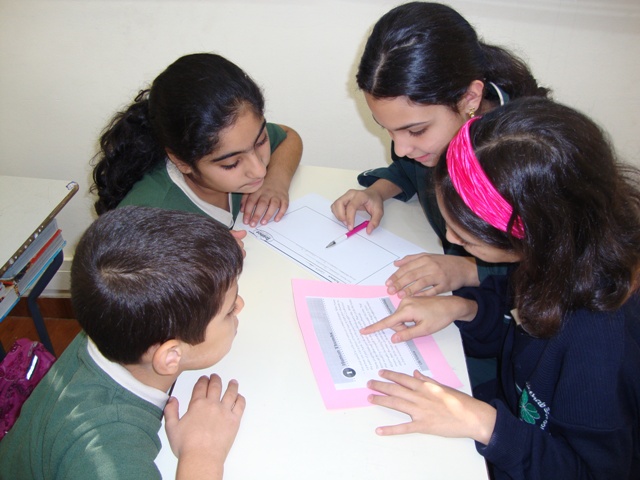
Cooperative Learning Cards requires collaboration among students. This method is designed for groups to explore science concepts and real-life science problems. This method was implemented in grade 6 in the last science session. Students were divided into 8 groups, 4 members each. Students were required to solve problems, research, discuss, and write as they practice science process skills. Each group practiced different science process skills.
Group 1: comparing
Group 2: inferring
Group 3: Classifying
Group 4: Organizing
Group 5: Predicting
Group 6: Collecting Data
Group 7: Experimenting
Group 8: Making models
Finally, each group selected a report to discuss his group’s results infront of the whole class.


Wednesday, September 21, 2011